
Halloween Prank Videos from One Photo
Make Halloween prank videos from a single photo: Ghostface creeping up behind you, a zombie takeover, a werewolf transformation and more. Pick a scary template, add a selfie or a photo of a friend who's in on the joke, and AI Prank generates a short scary prank video to send to friends. Halloween 2026 falls on Saturday, October 31, so there's still time to plan your scare.
 App Store · coming soon
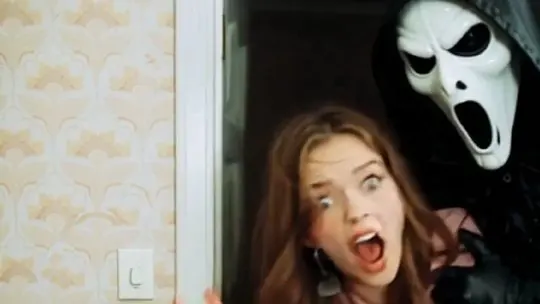
Ghostface AI Trend
A masked figure sneaks up behind you, horror-movie style.
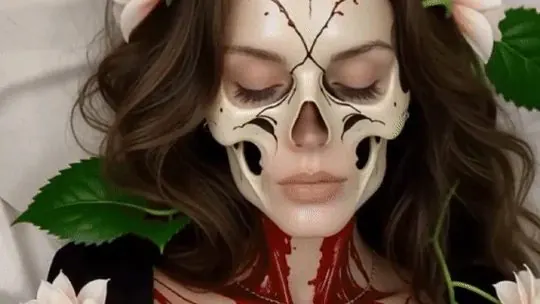
AI Skull & Skeleton Video
Your photo morphs into skeleton looks, from bare ribs to chrome skull.
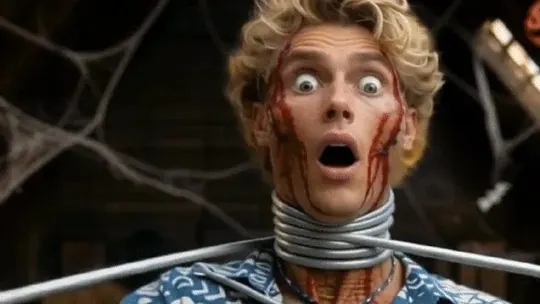
Voodoo Doll AI Video
Button eyes, stitched grin: your selfie becomes a creepy doll.
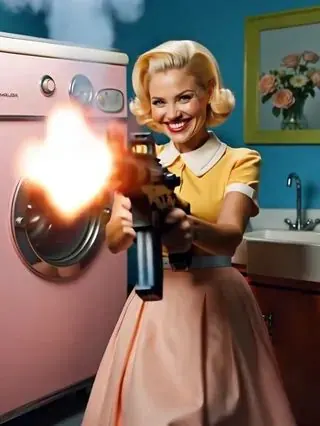
Evil Trigger AI Effect
A sweet portrait flips into villain mode with a creepy grin.
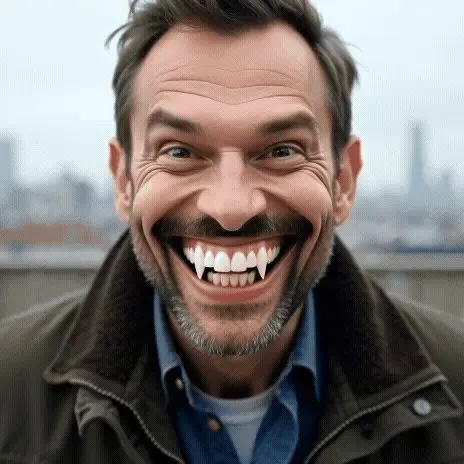
AI Devil Face: Creepy Grin
A normal smile stretches into a wide, fanged grin.
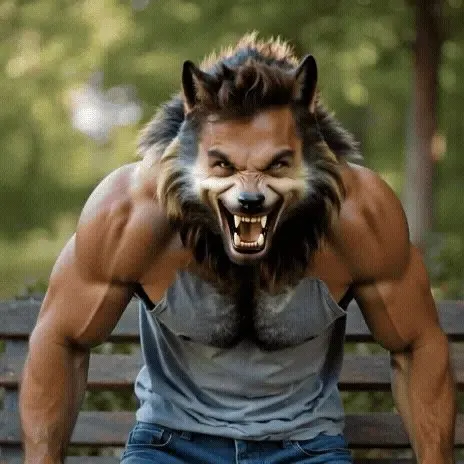
AI Werewolf Transformation
Calm on a park bench, then fur, fangs and a werewolf snarl.
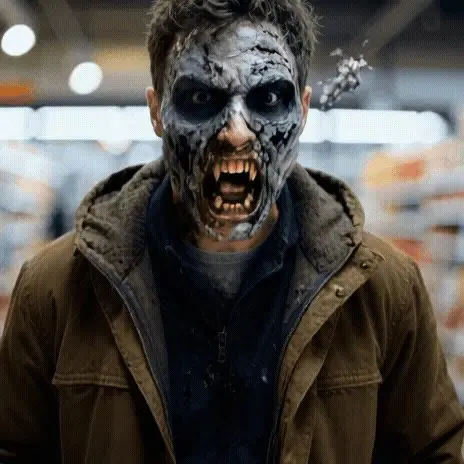
AI Zombie Video
Cuts spread across your face until you go full zombie.
Scary AI video templates for Halloween
- Ghostface AI trend: a masked figure in a black robe sneaks up behind you, horror-movie style.
- AI zombie video (Zombie Mode): cuts spread across your face until you're gray, hollow-eyed and undead.
- AI werewolf transformation (Full Moon Rage): grab your head, then burst into fur, fangs and muscle.
- AI devil face (Devil Grin): a normal smile stretches into a huge, fanged grin.
- Voodoo doll AI video (Voodoo Doll): your face turns into a burlap doll with button eyes and a stitched smile.
- AI skull video (Skull Cam): the body turns to bone, from bare ribs to a chrome skull.
- Evil trigger AI effect (Demon Cam): a sweet portrait flips into villain mode with a creepy grin.
Scary prank videos to send to friends
- The midnight text: send your werewolf video with "I haven't felt like myself since the full moon."
- The mirror scare: share a skull video with "I looked in the mirror and saw this."
- The group-chat chain: everyone makes their own Ghostface video and the most dramatic scream wins.
- The costume reveal: post your zombie video as "my Halloween look, no makeup needed."
- Always end with the reveal: tell friends it's AI once they've reacted. Pick people who love a good scare and skip anyone who'd be truly upset.
How the scary AI video generator works
Pick a template, add one photo and let the AI do the rest. Each scary template creates a short vertical video, usually in about a minute, that you can save to your phone or share to WhatsApp, TikTok, Instagram Reels and YouTube Shorts. Got your own horror idea? The Custom tab lets you upload a photo and type your own prompt. New to this? Follow our step-by-step guide on how to make an AI prank video.
Halloween 2026 countdown: Saturday, October 31
Halloween lands on a Saturday this year, so the whole weekend is fair game for spooky posts. Make your Halloween prank videos early in the week so they're ready for the group chat, your Stories and costume-reveal posts. AI Prank is free to download on Google Play, with free credits to start plus daily free credits. The iPhone version is coming soon.
Scary AI video prompts for the Custom tab
Many scary AI video generators start from a blank text box. The templates above need no prompt at all. When you want a scene of your own, open the Custom tab, upload a photo and type your idea. Three to try:
- The mirror that smiles back: "The person looks into a bathroom mirror. Their reflection slowly smiles while they stay completely serious." Try Kling for ultra-realistic motion.
- The pumpkin patch: "The person stands in a pumpkin patch at dusk. One by one, the carved jack-o'-lanterns around them turn to face the camera." Try Hailuo for smooth, cinematic motion.
- The graveyard walk: "Foggy graveyard at night. The person walks toward the camera holding a lantern while a pale hand rises from the ground behind them." Try Seedance for sharp detail.
Stick to one setting and one clear action, and describe the lighting and movement instead of just writing "spooky." AI results vary, so tweak the wording and try again. For four more Custom ideas, including a Duo group costume, see our Halloween prank ideas.
Frequently asked questions
How do I make a Halloween prank video?
Download AI Prank on Google Play (the iPhone version is coming soon), pick a scary template like Ghostface, Zombie Mode or Full Moon Rage, and add one photo. The AI generates a short video, usually in about a minute, ready to save or share.
What is a good scary prank video to send to friends?
Match it to the friend: Ghostface for horror-movie fans, Zombie Mode for a gross-out laugh, Voodoo Doll for something creepy-cute. Send it, enjoy the reaction, then reveal it's AI.
Is there a free scary AI video generator?
AI Prank is free to download and gives you free credits to start plus daily free credits. Free videos carry a small AI Prank watermark, and optional premium plans remove it.
Can I write my own scary AI video prompt?
Yes. In the Custom tab, upload a photo, type your idea and pick an AI video model, like Kling for ultra-realistic motion or Hailuo for smooth, cinematic motion. Videos run 5–10 seconds depending on the model.
Are scary prank videos OK for kids?
Templates like Zombie Mode and Ghostface work best for teens and adults who enjoy a good scare. Skip young kids and anyone who frightens easily, and always reveal it's AI.