
Best AI Prank Apps in 2026
Updated 2026-10-01
Looking for the best AI prank apps in 2026? We compared seven AI prank video apps on what they make, which phones they run on, how you pay and what store reviewers say. Short version: pick by your phone first, then by ready-made templates or your own prompts.
Disclosure: AI Prank is made by us, so we put it first. Every other app is described from its store listings, its official site and the sources we name, as checked on September 27, 2026.
Quick picks
- Android, one photo, zero typing: AI Prank
- Pranks inside your own room footage (iPhone, web): Starrd
- Well-reviewed Android alternative: Mitu AI
- Type your own prank scenario: Mischief
- Photo-first pranks on iPhone: Gotcha
- iPhone, Android and web at once: PrankAI
- TikTok trend filters: Pose AI
How we compared
We only counted apps that make prank videos or can animate a prank photo into one. Prank-call apps and photo-only editors are covered further down. We checked each app's store listings, plus its official site where it has one, on September 27, 2026, looking at:
- Output: real video, or a photo you animate later?
- Effort: template, prompt, or filming your own clip?
- Platforms: Android, iPhone, web.
- Free start: can you try it free? Subscription or credits?
- Store signal: rating, rating count, downloads, last update.
- Prank focus: main job, or one corner of a general AI editor?
Worth knowing: most "best AI prank apps" lists come from app makers. Gluely, Starrd and Overchat each rank their own tool first. So do we, and we say so.
The 7 best AI prank apps in 2026
1. AI Prank
Best for: Android users who want a funny prank video from one photo, no prompt needed.
Pick a template, add one selfie or camera-roll photo, and get a short HD prank video, usually in about a minute. There are 60+ templates in six packs, from a fake arrest to a zombie makeover. Got your own idea? The Custom tab takes a photo plus a typed prompt and lets you pick the AI video model.
| Platforms | Android (Google Play). iPhone version coming soon. |
|---|---|
| Pricing | Free download, free credits to start plus daily free credits. Optional weekly premium plans and credit packs. |
| What it does | One photo → short HD prank video, usually 5–10 seconds |
| Templates | 60+ in 6 packs, plus a Custom prompt mode |
| Languages | 11 |
| Rating | See the live Google Play listing |
Pros
- Template-first: one photo is enough
- Daily free credits; start as a guest, no account needed
- Custom tab with 7 AI video models, including Duo (two people) and Morph (two photos)
- Photos are never sold or used to train AI models
Cons
- iPhone version not out yet
- Free downloads and shares carry a small AI Prank watermark
- Videos only: no voice changer, prank calls or live filters
 App Store · coming soon
2. Starrd
Best for: iPhone and web users who want the prank to happen inside footage of their own room.
Starrd is a general AI video app with a Video Pranks category that works video-to-video. You film a few seconds of a real room, pick a prank, and AI adds a character such as a repairman, a cleaning lady, a shirtless plumber or a snake. Starrd's blog says the prank videos include generated voice lines.
| Platforms | iPhone and web. No Android app (the Google Play "Starrd" is an unrelated company). |
|---|---|
| Pricing | Credits only, no subscription. 100 credits = 1 video; credits never expire. |
| What it does | Video-to-video pranks in your own footage, plus photo-to-video templates |
| Rating | 4.7 on the App Store (274 ratings), updated Sep 19, 2026 |
Pros
- Pranks happen in your real room, not a generic AI background
- No subscription; credits never expire
- Names its models (Seedance 2.0, Kling Motion Control)
Cons
- No Android app
- No free video: welcome credits only cover songs
- Small prank library (4 templates in June 2026, about 7 in July, per Starrd's blog)
- App Store listing is English only
3. Mitu AI: Prank Video Generator
Best for: Android users who want quick template pranks from an app with lots of ratings.
Mitu AI works the way most people expect a prank app to: upload a photo, choose a prank template (dancing, surprising reactions, playful situations) and get a short funny video. It has more than 12,000 Google Play ratings, averaging 4.7.
| Platforms | Android. No iPhone app found. |
|---|---|
| Pricing | Free with ads and in-app purchases. Prices not stated on the listing. |
| What it does | Template photo-to-video pranks, plus a photo enhancer and object remover |
| Rating | 4.7 on Google Play (12,000+ ratings), 1M+ downloads, updated Sep 7, 2026 |
Pros
- Simple one-photo, template-first flow
- 4.7 average from 12,000+ ratings
Cons
- Contains ads
- Android only
- Template list and prices aren't published on the listing
4. Mischief: AI Prank Photo/Video
Best for: Android and web users who'd rather type their own prank scenario than pick a template.
Mischief is prompt-driven. Upload a selfie, type what should happen ("getting arrested by aliens") and AI animates it into a short vertical video. Its pitch: "If you can type it, Mischief can create it." See our Mischief alternatives guide.
| Platforms | Android and web. The App Store page returned a 404 on Sep 27, 2026. |
|---|---|
| Pricing | Subscription plus credits. Images from 20 credits, videos from 200. HD and no watermark need the subscription. |
| What it does | Type-a-prompt photo-to-video, 9:16 export |
| Rating | 4.7 on Google Play (327 ratings), 5K+ downloads, updated Aug 18, 2026 |
Pros
- Any scenario you can describe
- Breaking News format with your own headline
- Web app
Cons
- You write a prompt for every prank
- iPhone availability unclear
5. Gotcha: AI Prank Photo & Video
Best for: iPhone users who want photo pranks first, with the option to turn them into a short video.
Gotcha groups its photo pranks into Funny Face, Scene (ghost, snake, spider), Fake Content (wanted poster, breaking news, lottery win) and Vehicle (car crash, flat tire, towed car). Any prank photo can then be animated into a 5–10 second video.
| Platforms | iPhone only (released March 2026) |
|---|---|
| Pricing | Free credits refresh every 24 hours; no registration to start. Pro plans and credit packs. |
| What it does | Photo pranks, animatable into 5–10 second videos |
| Rating | 5.0 on the App Store (5 ratings), updated Sep 25, 2026 |
Pros
- Daily free credits, no sign-up to start
- A whole category of car pranks
- 19 languages (per the App Store)
Cons
- iPhone only
- Only 5 ratings so far
- Video is a second step after the photo
6. PrankAI: AI Photos & Videos
Best for: fake-headline photo pranks on iPhone, Android or the web.
PrankAI makes a prank from one photo in "about ten seconds", per its App Store listing. Its roughly 50 templates lean on fake headlines (breaking news, fake newspaper, lottery check), face pranks (bald, mullet, old age) and dance videos.
| Platforms | iPhone, Android and web |
|---|---|
| Pricing | Weekly, monthly and yearly Premium plans, plus credit packs on iPhone |
| What it does | Photo pranks from about 50 templates; video pranks with Premium |
| Rating | 5.0 on the App Store (8 ratings). Google Play: 5K+ downloads, no rating shown |
Pros
- Runs on all three platforms
- Big set of fake-headline templates
- New templates weekly (per the listing)
Cons
- Video pranks need Premium
- Very few ratings
7. Pose AI
Best for: iPhone users chasing TikTok trends, with a few prank-style templates on the side.
Pose is a trend-filter app, not a prank app. Its listing covers baby dancing videos, a stadium fan cam and luxury styles, and mentions breaking-news and AI arrest videos for TikTok. Gluely's ranking names it the pick for TikTok trends.
| Platforms | iPhone. We did not verify an Android version. |
|---|---|
| Pricing | Subscription tiers (Basic to Elite) |
| What it does | Trend templates for photos and videos; pranks are a few of them |
| Rating | 4.7 on the App Store (144,000+ ratings), updated Sep 21, 2026 |
Pros
- Huge rating count (144,000+ on the App Store)
- No-prompt trend templates
Cons
- Not prank-focused
- Subscription-heavy pricing
Which one should you pick?
- Android: AI Prank for templates, Mitu AI as a well-reviewed alternative, Mischief for prompts.
- iPhone: Starrd for pranks in your own room footage, Gotcha for photo pranks with daily free credits. AI Prank for iPhone is coming soon.
- No install: Mischief, PrankAI and Starrd have web apps.
- Zero typing: template apps (AI Prank, Mitu AI, PrankAI).
- Total control: Mischief, or AI Prank's Custom tab with seven AI video models.
- Try before paying: AI Prank (free credits to start plus daily free credits) or Gotcha (daily free credits). Starrd's welcome credits don't cover a video.
Try our #1 pick: add one photo, tap a template, get your prank video in about a minute.
App Store · coming soonPopular AI Prank templates to start with
Quick wins: in Arrest Cam a police officer walks up and takes your friend by the arm, in Gone Bald a monkey swipes their hair clean off, and in Future Me an older version of them walks into the shot. Or browse packs like Busted! Caught on Camera.
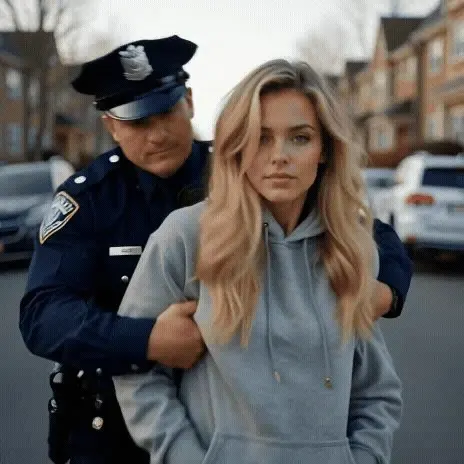
Fake Arrest Prank Video
An AI cop walks up and leads your friend away. From one photo.
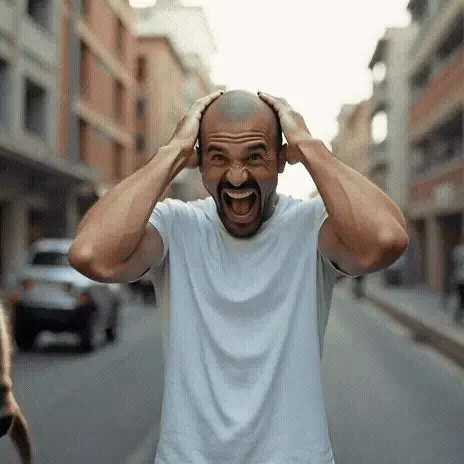
AI Bald Filter Video
A monkey swipes your friend's hair off. Their face says it all.

AI Aging Video
Your older self walks into frame and poses right beside you.
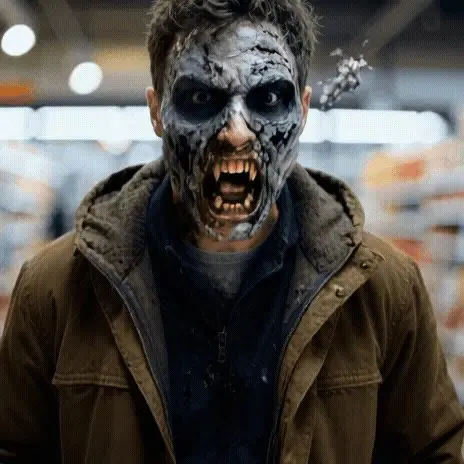
AI Zombie Video
Cuts spread across your face until you go full zombie.
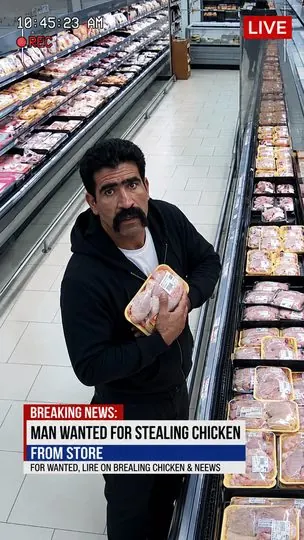
Fake CCTV Footage Prank
Grainy store CCTV catches your friend clutching a pack of raw chicken.
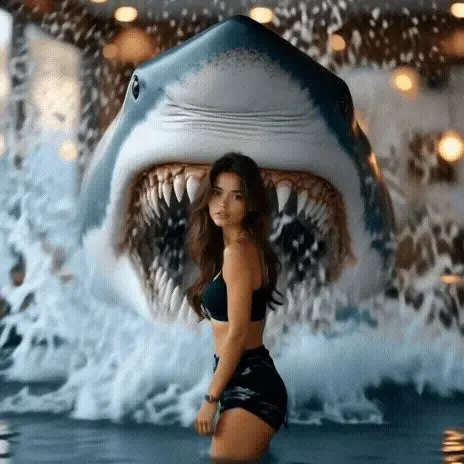
AI Shark Attack
A calm portrait, then giant jaws burst out of the water behind them.
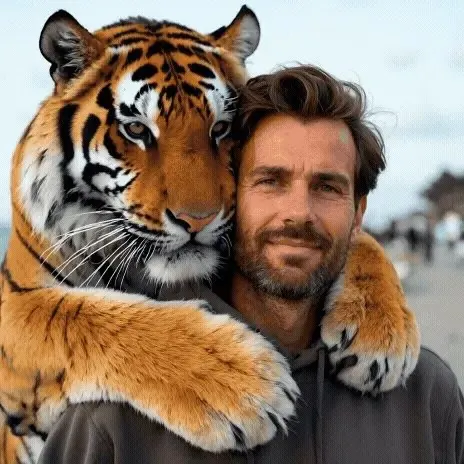
AI Tiger Video
A tiger appears behind you and drapes its paws over your shoulders.
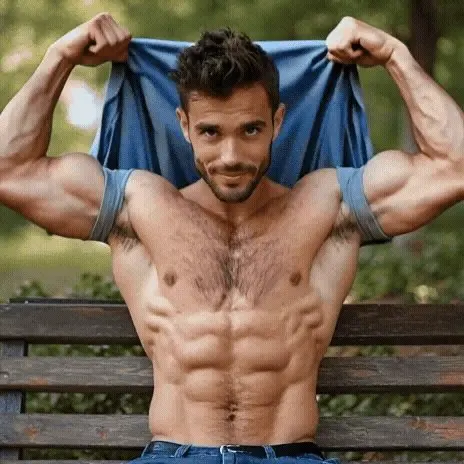
AI Muscle Video
Shirt comes off, six-pack and biceps show up. Instant gym results.
Other apps you'll see in prank app lists
- Menace: templates plus a prompt mode, and it takes video clips as input. Android and web; its iPhone listing returned a 404 on Sep 27, 2026.
- Gluely: iPhone video editor for UGC ads with 16 prank styles and text-prank chat videos.
- Micy: Android prank videos plus a voice changer and soundboard; 1M+ downloads, 2.2 rating.
- Halo AI: iPhone editor with a prank section; premium generation needs a subscription.
- OMG AI and AI Pranks!: iPhone photo pranks; no video output described.
- PrankGen: browser-only; credits expire after 7 or 30 days.
- Parody AI: talking historical characters, not your photos; last updated June 2025.
Looking for prank calls instead?
Many "AI prank app" searches are really about prank calls, a different category: apps like PrankDial, Ownage Pranks and CandyCall place prank phone calls. AI Prank doesn't make calls and has no voice changer. It makes short videos for the group chat.
Prank responsibly
The best AI pranks end with everyone laughing. Prank friends who'll get the joke, use photos you have the right to use, and reveal it's AI after the reaction. New to this? Read how to make an AI prank video.
Templates, prompts or filming: how AI prank apps work
Every app on this list makes its prank in one or more of four ways. That choice decides how fast you get a video and how much control you have.
- Tap a template: pick a ready-made prank, add one photo, done. Nothing to write. AI Prank, Mitu AI and PrankAI work this way.
- Type a prompt: describe what should happen, like "running away from a dinosaur" (one of Mischief's own examples). You're not limited to a template list, but the result depends on your wording. Mischief is prompt-first; Menace and AI Prank's Custom tab offer prompts next to templates.
- Film a clip: Starrd adds a prank, such as a person, a snake or a kitchen fire, to a 5–12 second clip you shoot of a real room. Your real background stays, but you have to film first.
- Photo first, then video: Gotcha makes a prank photo, which you can then animate into a 5–10 second video.
Our take: start with templates for speed, and switch to a prompt when you have a specific joke no template covers. Prompt tips are in our AI prank video guide.
Frequently asked questions
What is the best AI prank app?
It depends on your phone. On Android, AI Prank (our app) is our pick for one-photo template pranks, and Mitu AI has 12,000+ Google Play ratings averaging 4.7. On iPhone, Starrd is the pick for pranks in your own room footage.
Is there a free AI prank video generator?
Several let you start free. AI Prank gives free credits to start plus daily free credits (free downloads carry a small watermark). Gotcha refreshes free credits daily on iPhone, and Mitu AI is free with ads.
What's the best AI prank app for Android?
AI Prank, Mitu AI and Mischief all run on Android. We found no Android app for Starrd, Gotcha or Gluely as of September 2026.
Can AI prank apps make prank calls?
AI Prank doesn't, and none of the video apps ranked here list prank calls as a feature. Prank calls come from separate apps such as PrankDial or Ownage Pranks.
How long does an AI prank video take?
With AI Prank, about a minute, sometimes up to three. PrankAI says its photo pranks take about ten seconds.
Is there an app that makes prank videos?
Yes. On Android, AI Prank (our app), Mitu AI and Mischief turn one photo into a short AI prank video. On iPhone, Starrd adds a prank to a clip you film, and Gotcha animates its prank photos into short videos. AI Prank videos save to your phone or share straight to TikTok, Instagram Reels and YouTube Shorts.
What are some apps like Mitu AI?
AI Prank (our app) works the same way on Android: pick one of 60+ prank templates, add one photo, and get a short video, with daily free credits. On iPhone, try Gotcha or PrankAI. If you'd rather type your own prank than pick a template, try Mischief (Android and web).
What app was used for the AI homeless man prank?
Nobody knows for sure. NBC News said it's unclear which AI tools made many of the videos, though Google Gemini made one of the fake images when NBC asked. The prank led to real 911 and home-invasion calls in Salem, Massachusetts, and Round Rock, Texas, and Salem police asked people to think twice before trying it. AI Prank has no fake-intruder template, and we'd skip this one: pick a prank that's obviously a joke once you reveal it.