
Best Starrd Alternatives for AI Prank Videos (2026)
Updated 2026-10-01
The best Starrd alternatives are for people who like its AI prank videos but have an Android phone, want to try pranks for free, or want more than a handful of prank templates. Here's what Starrd does, where it falls short for some people, and five apps worth trying instead.
Disclosure: AI Prank is made by us, so we put it first. Every other app is described from its store listings, its official site and the sources we name, as checked on September 27, 2026.
What is Starrd?
Starrd - AI Video Generator is a general AI video template app. You pick a scene, upload one or two photos and get a cinematic video, optionally steered with Director's Notes. Its Video Pranks category works differently: you film a few seconds of a real room (5–12 seconds, per Starrd's blog), pick a prank, and AI inserts a character into your footage, such as a repairman, a cleaning lady, a shirtless plumber or a snake.
- Platforms: iPhone and the web (getstarrd.app). There's no Starrd Android app; the Google Play app named "Starrd" belongs to an unrelated creator-marketing company.
- Pricing: credits only, no subscription. 100 credits buy one cinematic video and credits never expire. New accounts get 20 welcome credits, enough for AI songs but not a video.
- Models: its pricing page names Seedance 2.0 and Kling Motion Control.
- Rating: 4.7 on the App Store from 274 ratings (version 2.8, updated September 19, 2026).
- Extras: AI songs, a Product Ad Studio, and car and timelapse studios.
Why people look for Starrd alternatives
- They're on Android. Starrd is iPhone and web only, and the Google Play app named "Starrd" is from an unrelated company.
- No free video. The welcome credits cover songs, not a video, so your first prank is paid.
- Few prank templates. Starrd's blog listed 4 prank templates in June 2026 (Shirtless Plumber, Cleaning Lady, Kitchen Fire, Snake in Kitchen) and about 7 in July.
- They don't want to film. Video pranks need a clip of your room, and Starrd's own blog says quality depends on that clip. Sometimes you just have a photo.
- Language. The App Store listing is English only.
The best Starrd alternatives
1. AI Prank
Best for: Android users who want prank videos from a single photo, with free daily credits.
AI Prank is the photo-based take on Starrd-style pranks. There's nothing to film: pick one of 60+ templates, add a selfie or any photo, and get a short HD video (usually 5–10 seconds) in about a minute. For your own ideas, the Custom tab takes a photo plus a typed prompt and lets you pick the AI model, including Seedance and Kling.
| Platforms | Android (Google Play). iPhone version coming soon. |
|---|---|
| Pricing | Free download. Free credits to start plus daily free credits. Optional weekly premium plans and one-time credit packs. |
| What it does | One photo → short prank video (usually 5–10 seconds), from a template or your own prompt |
| Templates | 60+ in 6 packs, new ones added regularly |
| Languages | 11 |
| Rating | See the live Google Play listing |
Pros
- On Android, where Starrd isn't
- Free credits to start plus daily free credits
- No filming: one photo is enough
- App available in 11 languages
Cons
- Doesn't place characters into footage you film
- iPhone version not out yet
- Free downloads carry a small watermark
- Prank videos only: no AI songs or ad studio
 App Store · coming soon
2. Mitu AI: Prank Video Generator
Best for: Android users who want quick one-photo template pranks.
Mitu AI is template-first: upload a photo, choose a prank template (dancing, surprising reactions, playful situations) and get a short funny video. It also bundles an AI photo enhancer and object remover, and has more than 12,000 Google Play ratings averaging 4.7.
| Platforms | Android. No iPhone app found. |
|---|---|
| Pricing | Free with ads and in-app purchases. Prices not stated on the listing. |
| What it does | Template photo-to-video pranks |
| Rating | 4.7 on Google Play (12,000+ ratings), 1M+ downloads, updated Sep 7, 2026 |
Pros
- On Android
- Free to start (with ads)
- 4.7 average from 12,000+ ratings
Cons
- Contains ads
- Android only
- Template list and prices aren't published on the listing
3. Gotcha: AI Prank Photo & Video
Best for: iPhone users who want to try pranks free every day.
Gotcha makes photo pranks in four groups: Funny Face, Scene (ghost, snake, spider), Fake Content (wanted poster, breaking news, lottery win) and Vehicle (car crash, flat tire, towed car). Any prank photo can then be animated into a 5–10 second video, so you get Starrd-style surprises without filming anything.
| Platforms | iPhone. No Google Play app found. |
|---|---|
| Pricing | Freemium: free credits refresh every 24 hours, referral credits, no registration to start. Pro plans and credit packs. |
| What it does | Photo pranks in 4 categories, animatable into 5–10 second videos |
| Rating | 5.0 on the App Store (5 ratings), updated Sep 25, 2026 |
Pros
- Daily free credits, unlike Starrd's paid-only videos
- 19 languages (per the App Store)
- Car and scene pranks from one photo
Cons
- iPhone only
- Only 5 ratings so far
- Video is a second step on top of the photo
4. Mischief: AI Prank Photo/Video
Best for: Android and web users who want to type any prank scenario they can think of.
Mischief swaps Starrd's short list of prank scenes for a prompt box. Upload a selfie, type what should happen ("getting arrested by aliens", "doing a backflip") and AI animates it into a short vertical video. There's also a Breaking News format where you write the headline.
| Platforms | Android and web. The iPhone App Store page returned a 404 on Sep 27, 2026. |
|---|---|
| Pricing | Free download; subscription plus credits. Videos start at 200 credits. The subscription adds HD export and no watermark. |
| What it does | Type-a-prompt photo-to-video |
| Rating | 4.7 on Google Play (327 ratings), 5K+ downloads, updated Aug 18, 2026 |
Pros
- On Android and web
- Any scenario you can describe
- No filming needed
Cons
- You write a prompt for every prank
- HD export and no watermark need the subscription
- iPhone availability unclear
5. PrankAI: AI Photos & Videos
Best for: people who switch between iPhone, Android and a browser.
PrankAI runs on all three platforms and makes a prank from one photo using roughly 50 templates: fake headlines (breaking news, fake newspaper, lottery check), face pranks (bald, mullet, old age), situations (pulled over, kitchen fire) and dance videos.
| Platforms | iPhone, Android and web |
|---|---|
| Pricing | Weekly, monthly and yearly Premium plans, plus App Store credit packs. Video pranks are a Premium feature. |
| What it does | Photo pranks from about 50 templates; video pranks with Premium |
| Rating | 5.0 on the App Store (8 ratings). Google Play: 5K+ downloads, no rating shown |
Pros
- Every platform covered
- About 50 templates to pick from
- New templates weekly (per the listing)
Cons
- Video pranks need Premium
- Very few ratings
- Some templates imitate official documents, which is riskier territory for a friendly prank
Starrd vs AI Prank at a glance
- Input: Starrd pranks = a 5–12 second clip you film. AI Prank = one photo.
- Platforms: Starrd = iPhone + web. AI Prank = Android, iPhone coming soon.
- Paying: Starrd = credit packs only, 100 credits per video. AI Prank = optional weekly premium plans and one-time credit packs.
- Free start: Starrd = 20 welcome credits, enough for songs but not a video. AI Prank = free credits to start plus daily free credits (free downloads are watermarked).
- Prank library: Starrd's blog lists 4–7 prank templates. AI Prank = 60+ in 6 packs.
- Languages: Starrd's App Store listing = English. AI Prank = 11 app languages.
Starrd-style surprises from a single photo
Starrd's pranks work because something unexpected shows up next to you. AI Prank has photo versions of that idea. In Arrest Cam a police officer walks into the shot. In Tiger Touch a tiger appears and wraps its paws around your shoulders. In Shark Attack a giant shark bursts up behind you. And in Future Me an older version of you walks in and stands beside you.
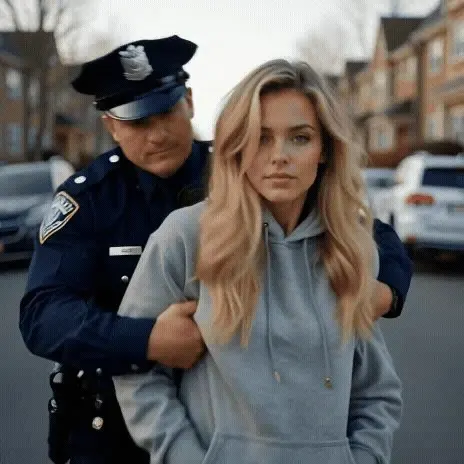
Fake Arrest Prank Video
An AI cop walks up and leads your friend away. From one photo.
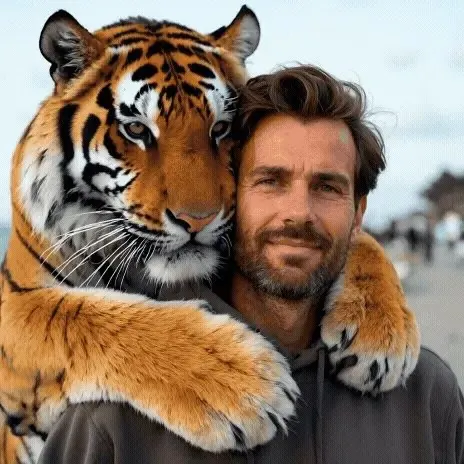
AI Tiger Video
A tiger appears behind you and drapes its paws over your shoulders.
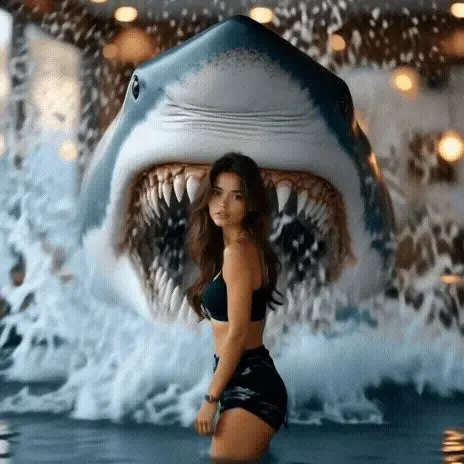
AI Shark Attack
A calm portrait, then giant jaws burst out of the water behind them.

AI Aging Video
Your older self walks into frame and poses right beside you.
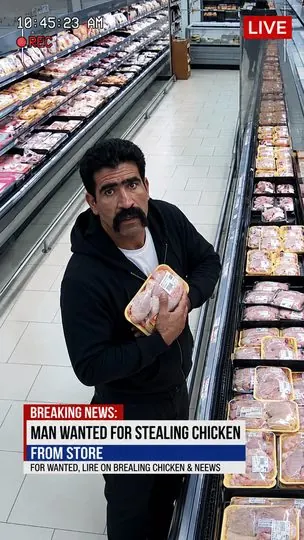
Fake CCTV Footage Prank
Grainy store CCTV catches your friend clutching a pack of raw chicken.
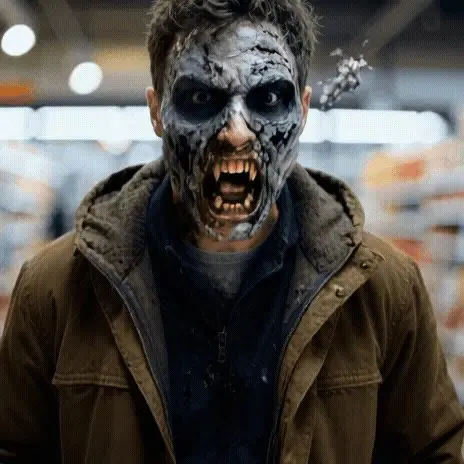
AI Zombie Video
Cuts spread across your face until you go full zombie.
Which Starrd alternative should you choose?
- Android, templates: AI Prank or Mitu AI.
- Your own scenario: Mischief (Android, web) or AI Prank's Custom tab (Android).
- iPhone, free to try: Gotcha, with daily free credits.
- Every platform: PrankAI.
- Must be your own filmed room: stay with Starrd. None of the apps above insert characters into footage you shoot.
No iPhone? No problem. Try AI Prank on Android, with free credits to start.
App Store · coming soonComparing more apps? See the full best AI prank apps ranking or our Mischief alternatives. Whatever you use, prank friends who'll laugh and reveal it's AI afterwards.
Filmed clip or one photo: which prank looks more real?
Starrd argues that prank videos from photo-based apps look fake because the whole frame is generated, while its own pranks work inside footage you actually shot. That's a fair point, and it comes with trade-offs.
- Filmed clip (Starrd): your real room, light and camera angle stay in the video. You need to film a 5–12 second clip first, and each prank adds something to that room, such as a person, a snake or a kitchen fire.
- One photo (AI Prank, Mitu AI, Gotcha): nothing to film, and a selfie or any photo from your camera roll works. The AI animates the photo you give it, so a sharp, well-lit photo matters most.
- Pranks that change the person: Starrd's footage pranks add a visitor or a hazard to your room. Photo templates can change the person instead, like turning a friend into a zombie or having their older self walk in and stand beside them.
Going the photo route? Use a sharp, well-lit, front-facing photo of one person with the whole face visible, and skip heavy filters. More tips in our AI prank video guide.
Frequently asked questions
Is Starrd available on Android?
No. As of September 27, 2026, Starrd is on iPhone and the web only. The Google Play app called "Starrd" is from an unrelated creator-marketing company, not the AI video app.
Is Starrd free?
The app is free to download, but videos cost credits: 100 per cinematic video. New accounts get 20 welcome credits, which cover AI songs but not a video, per Starrd's pricing FAQ.
Does Starrd have a subscription?
No. Starrd sells credit packs only, and its pricing page says credits never expire.
What's the best Starrd alternative for Android?
AI Prank (our app) for 60+ one-photo prank templates with daily free credits, Mitu AI for another well-rated template app, or Mischief if you'd rather type your own prank.
Can I make a Starrd-style prank from a photo?
Yes, with a different twist. Photo apps can't place a character into a room you filmed, but templates like AI Prank's Arrest Cam or Tiger Touch add someone or something next to you from a single photo.
What app makes the AI shirtless plumber prank?
The viral version used AI image apps like Google Gemini to add a shirtless plumber to a photo of someone's home, per Yahoo. Starrd also has a Shirtless Plumber template that adds one to a short clip you film (iPhone and web). AI Prank has no plumber template; its pranks star the person in your photo, like a police officer taking them by the arm in Arrest Cam or a monkey swiping their hair off in Gone Bald.
Is there a free app like Starrd?
AI Prank (our app, Android) gives free credits to start plus daily free credits; free downloads carry a small watermark. Gotcha (iPhone) refreshes free credits every 24 hours, and Mitu AI (Android) is free with ads. Starrd's own welcome credits cover AI songs, not a video.
How many prank templates does Starrd have?
Starrd's prank templates page listed 9 on September 27, 2026, including The Repairman, Cleaning Lady, Pool Boy, Shirtless Plumber, Kitchen Fire and Snake In The Kitchen, up from the 4 its blog listed in June 2026. AI Prank has 60+ prank templates in 6 packs.