
Best Mischief Alternatives for AI Prank Videos (2026)
Updated 2026-10-01
The best Mischief alternatives for AI prank videos depend on what's bugging you: the missing iPhone app, writing a prompt for every prank, or the subscription behind HD exports. Here's what Mischief does, why people switch, and five apps like Mischief worth trying instead. This page is about the Mischief AI prank app, not the older Mischief drawing software, which is no longer updated.
Disclosure: AI Prank is made by us, so we put it first. Every other app is described from its store listings, its official site and the sources we name, as checked on September 27, 2026.
What is Mischief?
Mischief: AI Prank Photo/Video is a prompt-driven photo-to-video app. You upload a selfie or camera-roll photo, type what should happen ("getting arrested by aliens", "doing a backflip") and AI animates the photo into a short vertical video for TikTok, Reels or Shorts. Its pitch: "If you can type it, Mischief can create it."
- Platforms: Android (Google Play) and a web app at mischiefprank.app. The site still links an App Store page, but it returned a 404 in the US, UK and Turkey on September 27, 2026.
- Pricing: free download, then a subscription plus credits. Images cost from 20 credits, videos from 200. The subscription adds priority processing, HD export and no watermark. We found no cash prices on an official page.
- Rating: 4.7 on Google Play from 327 ratings, 5K+ downloads, last updated August 18, 2026.
- Extras: a Breaking News format where you write the headline, starter templates in the web app, a Fast/standard model choice and a 6-second default length.
Why people look for Mischief alternatives
- iPhone. The App Store listing is unavailable as of September 27, 2026, and there's no word on whether that's permanent.
- Prompt fatigue. Every prank starts with writing a scenario. Starrd's comparison calls it "single-photo animation only" that "requires writing scenario for each prank".
- Paywalled polish. HD export and watermark removal are tied to the subscription.
- No time to think. Some people just want to tap a ready-made prank and send it.
The best Mischief alternatives
1. AI Prank
Best for: Android users who want ready-made prank templates, plus a prompt box for their own ideas.
AI Prank covers both ways of pranking. The template side has 60+ pranks in six packs: tap one, add a photo, and get a short HD video (usually 5–10 seconds) in about a minute. The Custom tab is the Mischief-style part: upload a photo, type your idea and pick an AI video model (Pixverse, Hailuo, Grok, Seedance or Kling). Duo puts two people in one scene and Morph turns one photo into another (both take two photos).
| Platforms | Android (Google Play). iPhone version coming soon. |
|---|---|
| Pricing | Free download. Free credits to start plus daily free credits. Optional weekly premium plans (more credits, no watermark) and one-time credit packs. |
| What it does | One photo → short prank video (usually 5–10 seconds), from a template or your own prompt |
| Templates | 60+ in 6 packs |
| Rating | See the live Google Play listing |
Pros
- 60+ templates that need no prompt
- Prompt mode with 7 model choices when you want Mischief-style freedom
- Daily free credits; start as a guest
- App available in 11 languages
Cons
- No web app
- iPhone version not out yet
- Free downloads carry a small watermark
 App Store · coming soon
2. Starrd
Best for: iPhone and web users who want a prank character placed into footage of their own room.
Starrd flips the Mischief approach. Instead of a photo and a prompt, you film a few seconds of a real room and pick a prank, and AI inserts a character such as a repairman, a cleaning lady, a shirtless plumber or a snake. It's a general AI video app, so there are also cinematic photo-to-video templates and AI songs.
| Platforms | iPhone and web. No Android app. |
|---|---|
| Pricing | Credits only, no subscription. 100 credits = 1 video; credits never expire. Welcome credits don't cover a video. |
| What it does | Video-to-video pranks in your own footage |
| Rating | 4.7 on the App Store (274 ratings), updated Sep 19, 2026 |
Pros
- Works on iPhone, where Mischief's listing is unavailable
- No subscription
- No prompt writing
Cons
- No Android app
- No free video
- Only a handful of prank templates (4 in June 2026, about 7 in July, per Starrd's blog)
3. Mitu AI: Prank Video Generator
Best for: Android users who want one-photo template pranks instead of prompts.
Mitu AI is the template-first answer to Mischief on Android: upload a photo, choose a prank template (dancing, surprising reactions, playful situations) and get a short funny video. It also includes an AI photo enhancer and object remover.
| Platforms | Android. No iPhone app found. |
|---|---|
| Pricing | Free with ads and in-app purchases. Prices not stated on the listing. |
| What it does | Template photo-to-video pranks |
| Rating | 4.7 on Google Play (12,000+ ratings), 1M+ downloads, updated Sep 7, 2026 |
Pros
- No prompt needed
- 4.7 average from 12,000+ ratings
- Extra photo tools
Cons
- Contains ads
- Android only
- No prompt mode described on the listing
4. PrankAI: AI Photos & Videos
Best for: Mischief's Breaking News fans who want fake-headline pranks on any platform.
If Mischief's Breaking News format is your favorite, PrankAI builds a whole app around that idea. Its roughly 50 one-photo templates include breaking news, a fake newspaper, a lottery check and a wanted poster, plus face pranks and dance videos. A type-your-own edit option covers the rest.
| Platforms | iPhone, Android and web |
|---|---|
| Pricing | Weekly, monthly and yearly Premium plans, plus App Store credit packs. Video pranks are a Premium feature. |
| What it does | Photo pranks from about 50 templates; video pranks with Premium |
| Rating | 5.0 on the App Store (8 ratings). Google Play: 5K+ downloads, no rating shown |
Pros
- Runs on iPhone, Android and web
- Lots of fake-headline templates
- Type-your-own option too
Cons
- Video pranks need Premium
- Very few ratings
- Some templates imitate official documents, which is riskier territory for a friendly prank
5. Menace: AI Photo Video Editor
Best for: people who like Mischief's prompts but also want templates and video-clip input.
Menace mixes both approaches. It turns a selfie, photo or video clip into an AI photo or video, with prank templates (fake caught-on-camera moments, arrest clips, breaking-news edits, dance videos) next to a free-prompt Custom Mode. It also does glow-ups and other edits that aren't pranks.
| Platforms | Android and web. The iPhone listing returned a 404 on Sep 27, 2026. |
|---|---|
| Pricing | Free download; credits or a subscription to generate. No official price list found. |
| What it does | Templates plus free prompts; starts from a photo or a video clip |
| Rating | 2.1 on Google Play (20 ratings), 5K+ downloads, updated Jun 5, 2026 |
Pros
- Templates and prompts in one app
- Can start from a video clip
- Web app
Cons
- Low Google Play rating (2.1 from 20 ratings)
- iPhone listing currently unavailable
- Not prank-only
Mischief vs AI Prank at a glance
- Making a prank: Mischief = type a prompt every time. AI Prank = tap one of 60+ templates, or type a prompt in the Custom tab.
- Platforms: Mischief = Android + web (iPhone page 404 as of Sep 27, 2026). AI Prank = Android, iPhone coming soon.
- Free start: Mischief = free download, then credits + subscription. AI Prank = free credits to start plus daily free credits.
- Watermark: Mischief removes it with the subscription. AI Prank removes it with a premium plan.
- Length: Mischief's web app defaults to 6 seconds. AI Prank = usually 5–10 seconds, depending on template or model.
- AI models: Mischief's web app = Fast or standard. AI Prank's Custom tab = Pixverse, Hailuo, Grok, Seedance, Kling, Duo, Morph.
Mischief-style pranks, no prompt needed
Mischief's example prompts include "getting arrested by aliens". In AI Prank, you skip the prompt and pick a template. In Arrest Cam a police officer walks up and takes your friend by the arm. Caught Red-Handed looks like supermarket security-camera footage. In Shark Attack a giant shark bursts up behind them. See the whole Busted! Caught on Camera pack for more.
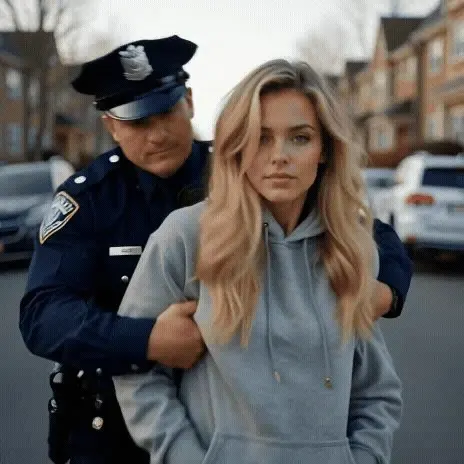
Fake Arrest Prank Video
An AI cop walks up and leads your friend away. From one photo.
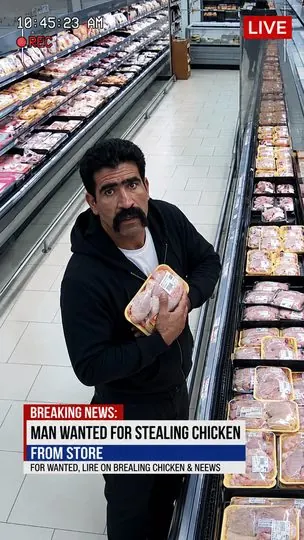
Fake CCTV Footage Prank
Grainy store CCTV catches your friend clutching a pack of raw chicken.
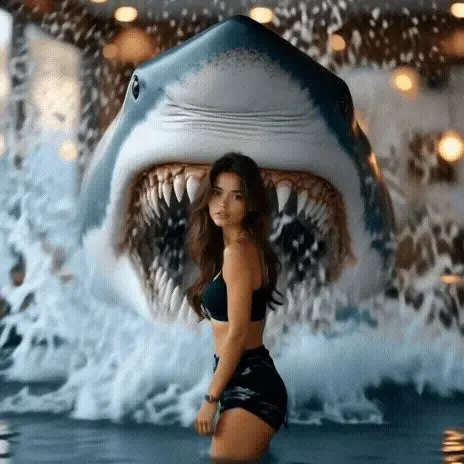
AI Shark Attack
A calm portrait, then giant jaws burst out of the water behind them.
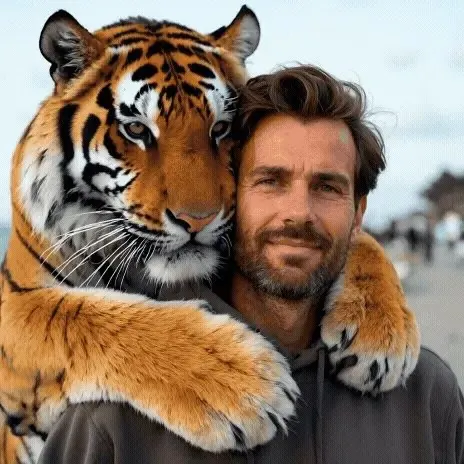
AI Tiger Video
A tiger appears behind you and drapes its paws over your shoulders.
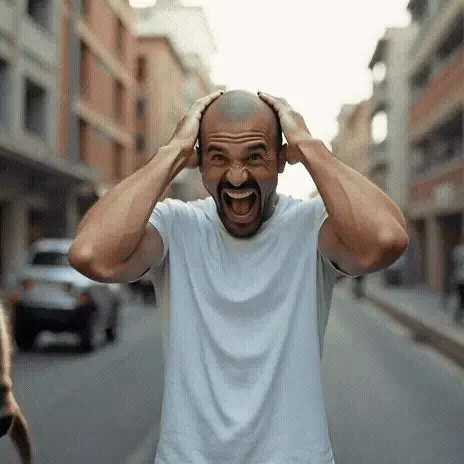
AI Bald Filter Video
A monkey swipes your friend's hair off. Their face says it all.

AI Aging Video
Your older self walks into frame and poses right beside you.
Which Mischief alternative should you choose?
- iPhone: Starrd for pranks in your own room footage, or PrankAI for fake-headline pranks.
- Android, no typing: AI Prank or Mitu AI.
- Android, still want prompts: AI Prank's Custom tab or Menace's Custom Mode.
- Browser only: PrankAI or Menace.
Keep the prompts, add 60+ one-tap templates. Try AI Prank free on Android.
App Store · coming soonComparing more apps? See our full best AI prank apps ranking or the Starrd alternatives guide. Whatever you use, prank friends who'll laugh and reveal it's AI afterwards.
Bringing your Mischief prompts to AI Prank
Already have a prank idea written for Mischief? It works in AI Prank's Custom tab too: upload the same photo, paste the idea, pick an AI video model and generate. Three tweaks help:
- Keep it to one action. Custom videos run 5–10 seconds, so a single moment like "running away from a dinosaur", one of Mischief's own examples, works better than a whole storyline.
- Match the model to the joke. Kling for ultra-realistic motion, Grok for creative, bold ideas, Hailuo for smooth, cinematic motion.
- Two friends, one prank. Pick Duo and add two photos to put both people in the same scene.
No idea yet? Skip the prompt and tap a template. More prompt tips are in how to make an AI prank video.
Frequently asked questions
Is Mischief available on iPhone?
As of September 27, 2026, Mischief's App Store page returned a 404 in the US, UK and Turkey, and Apple's lookup returned no results. It's still on Google Play and on the web at mischiefprank.app.
Is Mischief free?
The download is free, but generating uses credits: images from 20 credits and videos from 200, per its Google Play listing. HD export and watermark removal come with the subscription.
What's the best free alternative to Mischief?
AI Prank gives free credits to start plus daily free credits on Android; free downloads carry a small watermark. Mitu AI is free with ads.
Does AI Prank work like Mischief?
Partly. Its Custom tab also turns a photo plus your typed idea into a video, with seven AI models to choose from. Its 60+ templates need no prompt at all.
Is Mischief AI the same as the Mischief drawing app?
No. Mischief: AI Prank Photo/Video is a photo and video prank app. The older Mischief is an infinite-canvas drawing and painting program whose last releases came out in 2016 (Mac) and 2018 (Windows), per AlternativeTo, which lists Krita first among its alternatives.
Is there an app like Mischief for iPhone?
Yes. Starrd (pranks inside footage of your own room) and PrankAI (about 50 one-photo templates plus a type-your-own edit option) run on iPhone, and Gotcha (iPhone only) makes photo pranks you can animate into 5–10 second videos. AI Prank, with its Mischief-style Custom tab, is on Android now, and the iPhone version is coming soon.